

Overview
If you’ve forgotten your password or are locked out of your account, you can reset it using the password recovery process. The reset link is valid for one hour for security purposes.Password Reset Process
Follow these steps to reset your password:1
Access the Login Page
Navigate to app.rooler.ai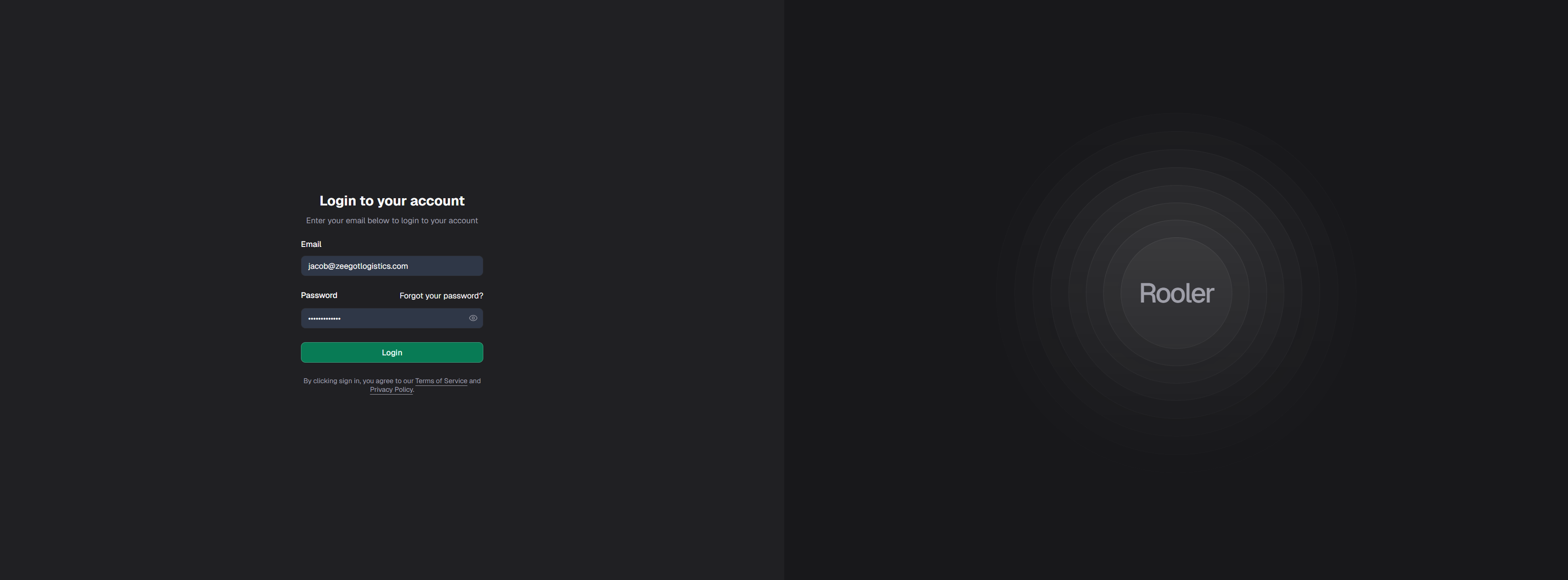
2
Click Forgot Password
On the login page, click the Forgot Password? link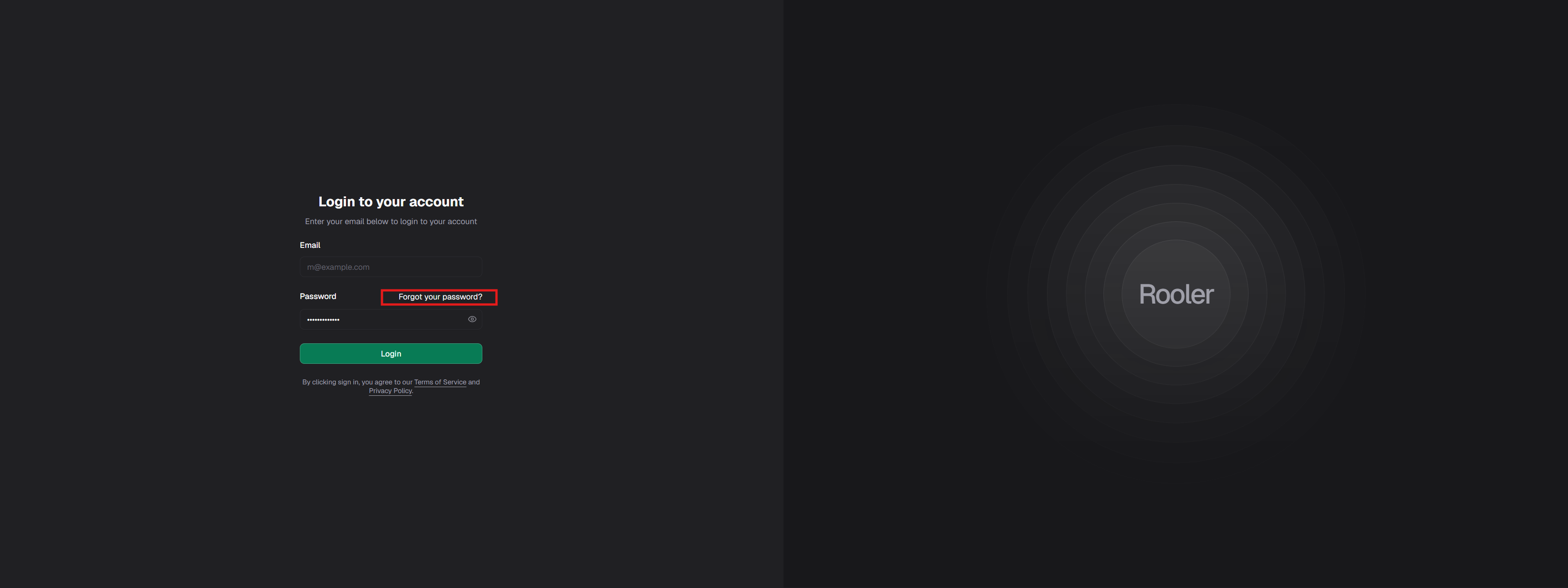
3
Enter Your Email
Enter the email address associated with your Rooler account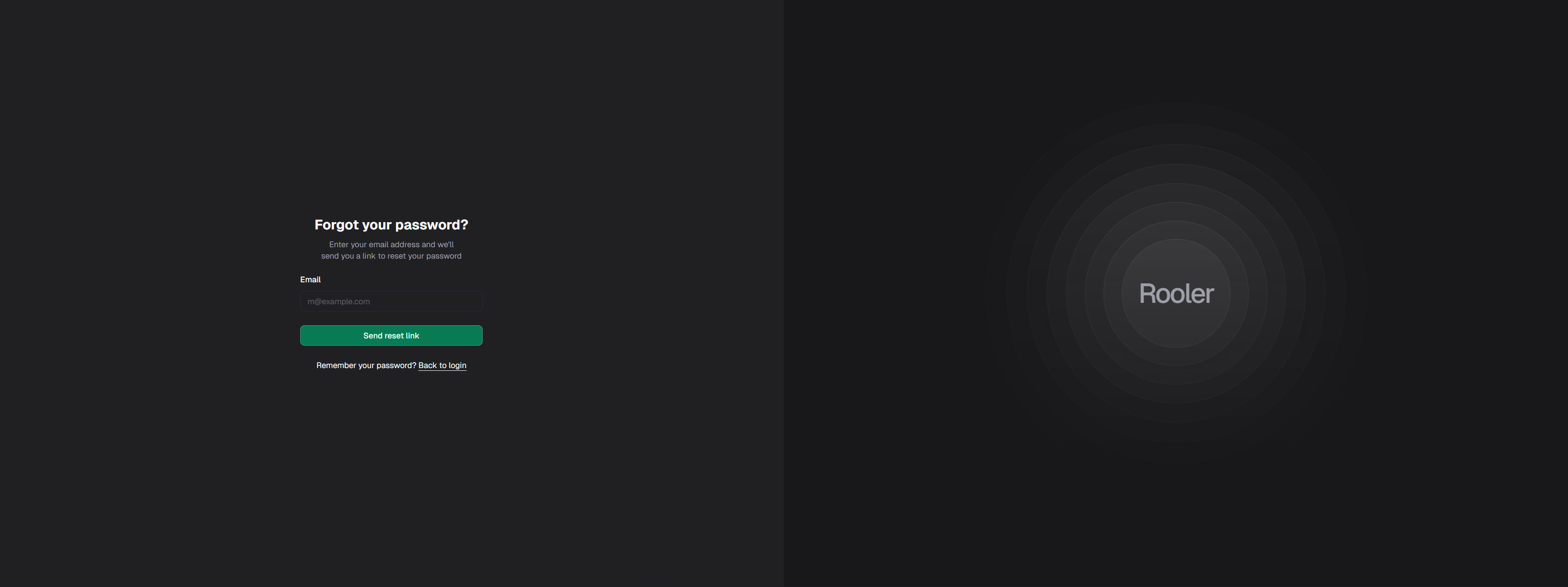
4
Check Your Email
You’ll see a confirmation message that the reset email has been sent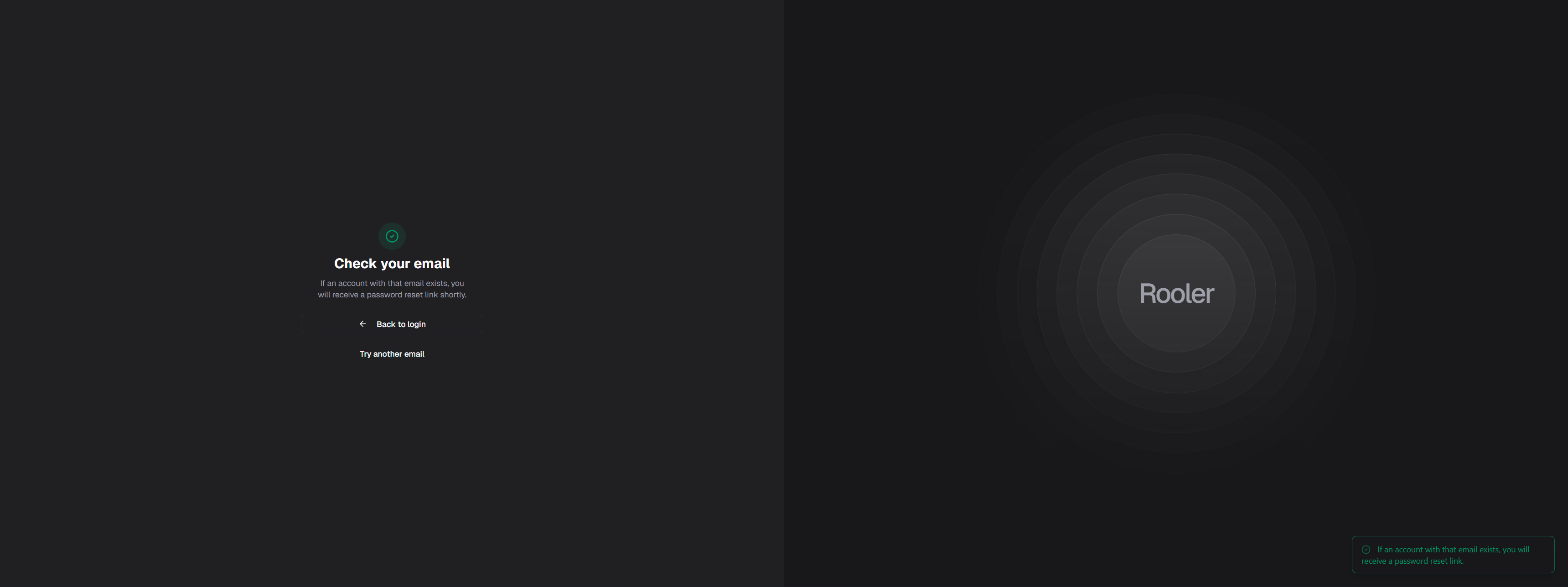
The email should arrive within a few minutes. Check your spam/junk folder if you don’t see it in your inbox.
5
Open the Reset Email
Open the password reset email from Rooler. The email contains:
- A reset button
- A reset link (if button doesn’t work)
- An expiration time (1 hour from when you requested it)
6
Click Reset Button or Copy Link
Either:
- Click the Reset Password button in the email
- Or copy the reset link and paste it into your browser
7
Enter Your New Password
On the password reset page, enter your new password twice: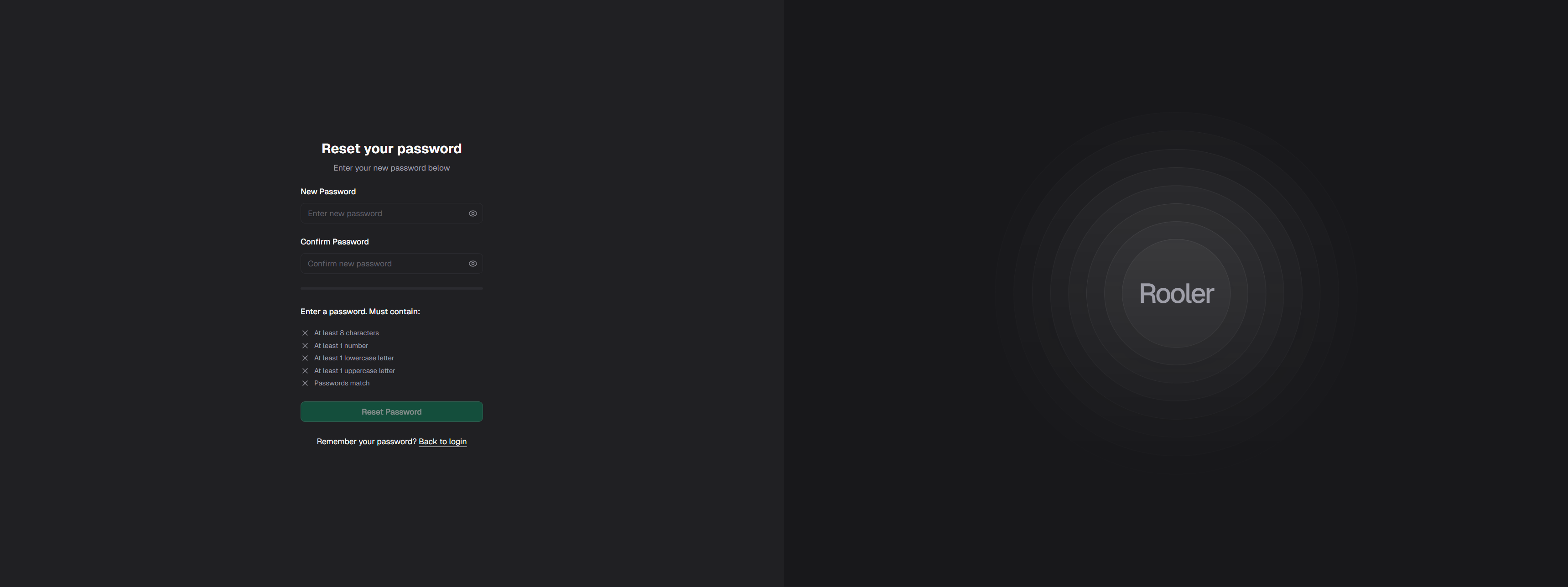
- At least 8 characters
- At least 1 number
- At least 1 lowercase letter
- At least 1 uppercase letter
8
Success Confirmation
If successful, you’ll see a success toast notification briefly appear.If there’s an error (expired link, passwords don’t match, etc.), you’ll see an error toast notification.
9
Log In with New Password
Use your new password to log in:
Password Requirements
When creating your new password, ensure it meets these security requirements:Troubleshooting
Didn't Receive Reset Email?
Didn't Receive Reset Email?
If you don’t receive the reset email within 5 minutes:
- Check spam/junk folder - Reset emails sometimes get filtered
- Verify email address - Make sure you entered the correct email
- Wait a few minutes - Email delivery may be delayed
- Request again - Try requesting another reset link
- Contact admin - Your administrator can verify your account email
- Contact support - Email support@rooler.ai
Reset Link Expired?
Reset Link Expired?
If your reset link has expired (after 1 hour):
- Return to the login page
- Click Forgot Password? again
- Enter your email address
- Request a new reset link
- Complete the process within 1 hour
Reset links expire for security. Each link can only be used once.
Reset Link Not Working?
Reset Link Not Working?
If clicking the reset link doesn’t work:
- Copy the link - Copy the full URL from the email
- Paste into browser - Open a new browser tab and paste the link
- Try different browser - Use Chrome, Firefox, Safari, or Edge
- Check for spaces - Ensure no extra spaces when copying
- Request new link - If link is malformed, request a new one
Password Doesn't Meet Requirements?
Password Doesn't Meet Requirements?
If you receive an error about password requirements:
- Ensure at least 8 characters
- Include at least one number
- Include at least one lowercase letter
- Include at least one uppercase letter
- Make sure both password fields match exactly
Rooler2024!Still Can't Reset Password?
Still Can't Reset Password?
If you’ve tried everything and still can’t reset:
- Contact your administrator - They can reset your password manually
- Verify account status - Ensure your account is active
- Check email settings - Make sure your email can receive external emails
- Contact support - Email support@rooler.ai with:
- Your email address
- When you requested the reset
- Any error messages you received
Security Notes
Why Reset Links ExpirePassword reset links expire after 1 hour as a security measure. This prevents:
- Old reset links from being used if your email is compromised
- Unauthorized password changes from stale links
- Security risks from forgotten reset requests
After Resetting Your Password
Once you’ve successfully reset your password: ✅ Log in immediately - Test your new password✅ Update password manager - If you use one
✅ Verify account access - Make sure everything works
✅ Review account activity - Check for any suspicious activity
✅ Enable additional security - Ask your admin about available options
Alternative: Contact Your Administrator
If the password reset process isn’t working, your administrator can:- Manually reset your password
- Send you new temporary credentials
- Verify your account status
- Check for any account restrictions
- Assist with email delivery issues
Related Pages
Authentication
Learn about secure login practices
Profile Settings
Manage your account information
Get Support
Contact support for help
Report Issues
Report technical problems